


Navicat 17 Database Management Tool | NFI CO., LTD.

Navicat 17 Database Management Tool

  • Navicat 17 Database Management Tool
  • 編號
  • 類別
    Software Development Tools List | NFI CO., LTD.
  • 介紹
    Navicat 17 is a database development tool that allows you to connect to MySQL, MariaDB, MongoDB, SQL Server, Oracle, PostgreSQL, and SQLite databases simultaneously from a single application. It is also compatible with cloud databases such as Amazon RDS, Amazon Aurora, Amazon Redshift, Microsoft Azure, Oracle Cloud, Google Cloud, and MongoDB Atlas. With Navicat 17, you can quickly and easily build, manage, and maintain your databases.
  • 價格

Navicat 17 Database Administration tool

Navicat 17 帶有許多改進和功能來滿足您的數據庫開發需求。擁有超過 100 項增強功能和全新的界面 - Navicat 為您提供構建、管理和維護數據庫的新方法。

Latest version is as follows
Navicat Premium (Windows) version 16.3.3
Navicat Premium (macOS) version 16.3.4
Navicat Premium (Linux) version 16.3.3


New Features in Navicat 17

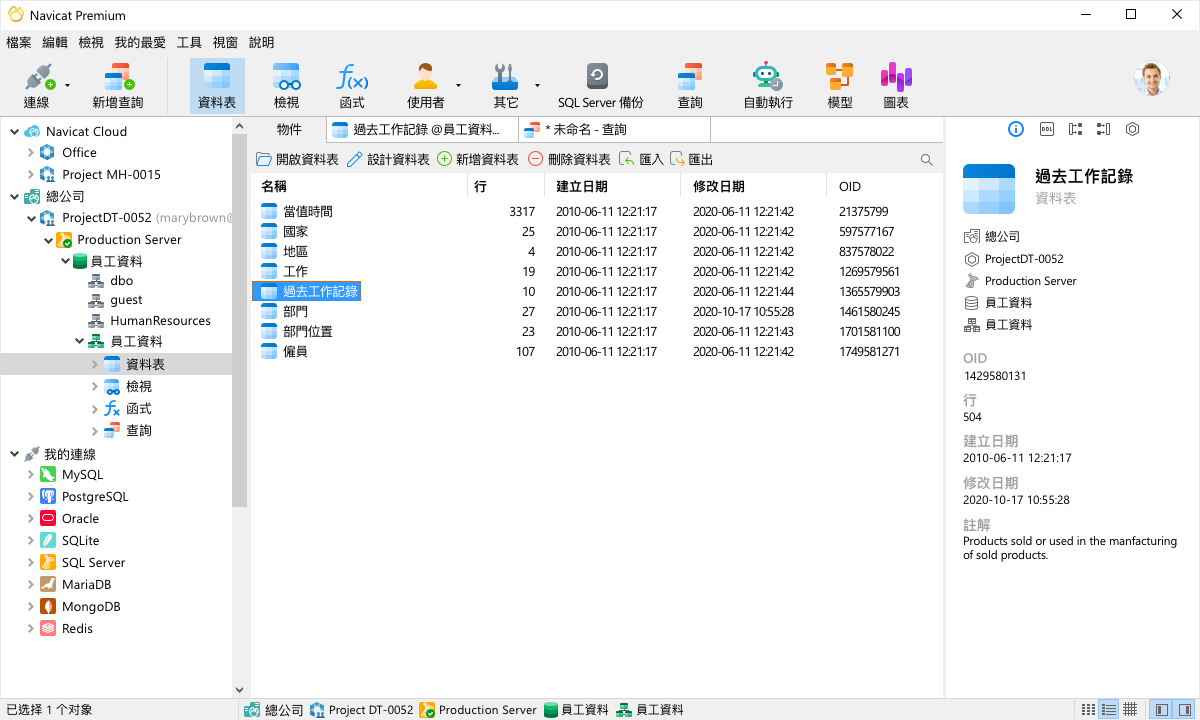
Brand New Design

Navicat 16 introduces a number of UI/UX improvements over its predecessor. We have focused on providing expert UX design to improve the usability and accessibility. So you can accomplish complex tasks faster than ever before.
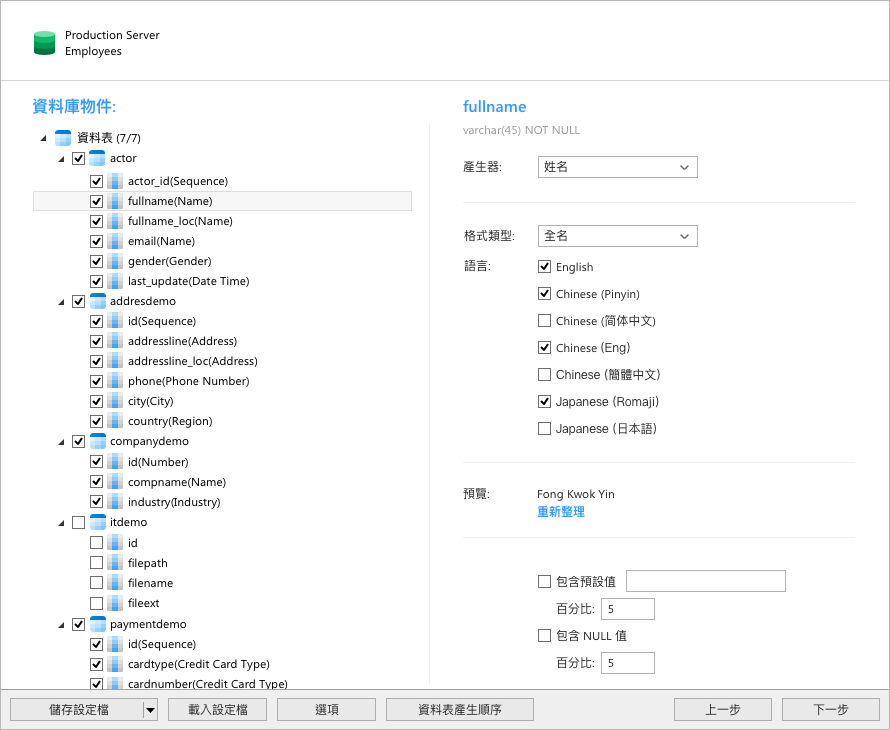
Reliable data generation
Our new data generation tool provides a comprehensive range of functions to generate a large volume of quality testing data. You can rapidly create realistic data sets with referential integrity based on business rules and constraints.
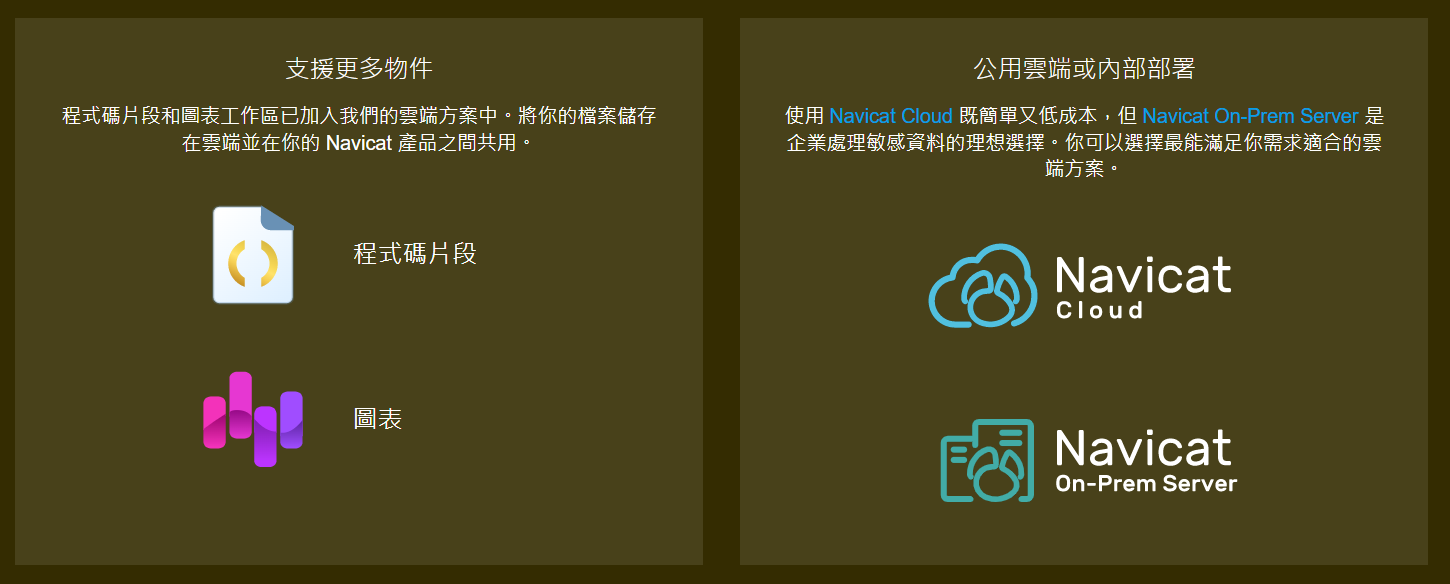
Work better together as a team

A new approach for resolving conflict files is released in our cloud solutions. You can now discard the server file and keep your file, discard your copy without saving changes, or rename your copy to keep both files.
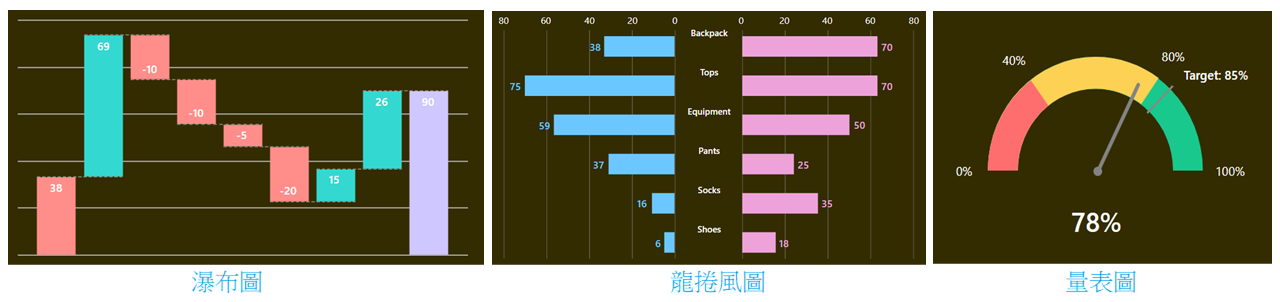
Present your data more effectively.
More chart types and new functions are included in our smart Charts tool. Connect to any data source of your choice such as from Excel, Access, or ODBC. You can also extend your data with customized fields by changing field types, concatenating fields, mapping values or sorting based on another field order. Explore our standalone Navicat Charts Creator.
Other improvements to maximize your performance.

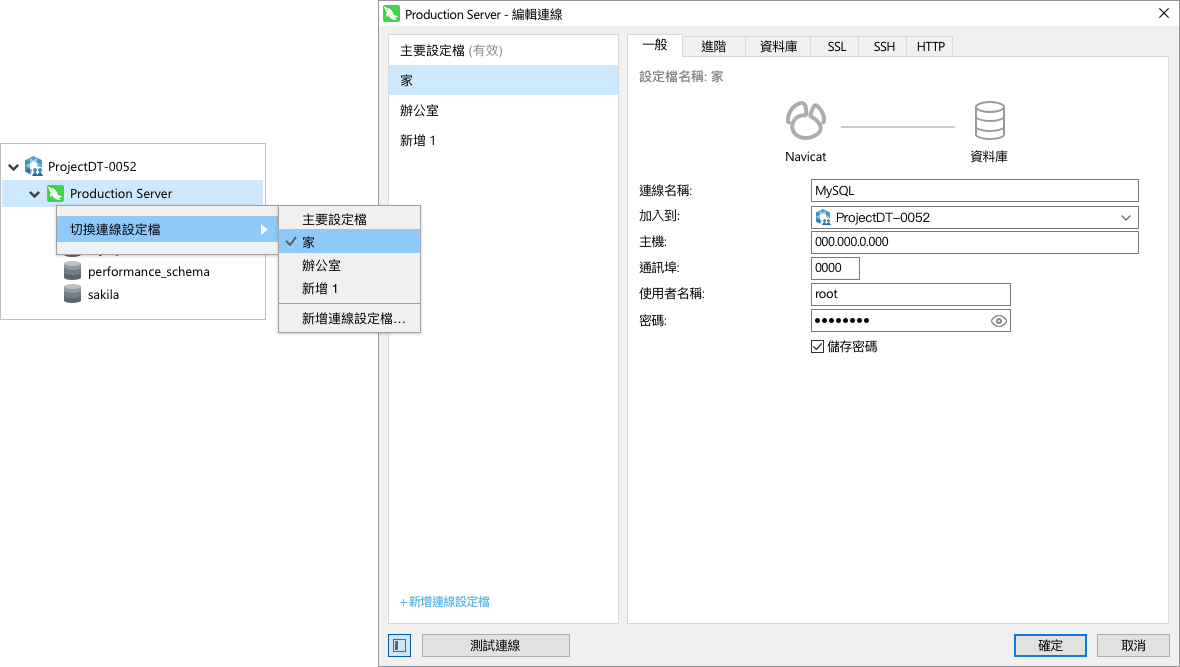
Connection Profile
Configure multiple profiles for out-of-office users who may need to switch between settings depending on the current location of the device you are using.

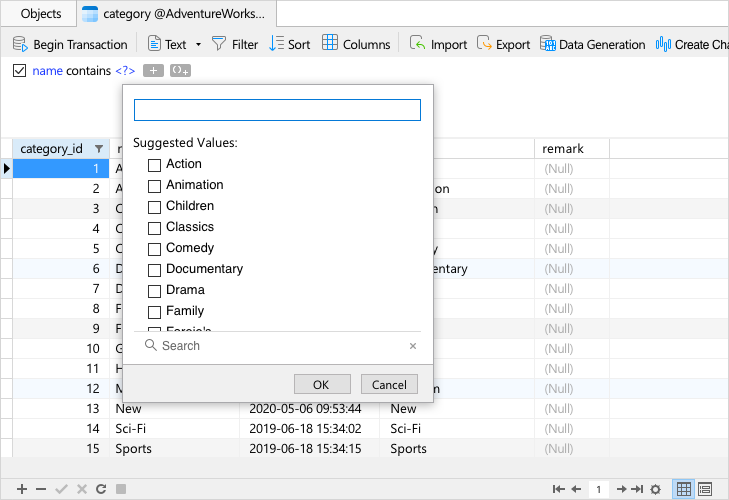
Value Picker
We have fully rewritten our filtering feature that embeds an intuitive panel for selecting values from a list, or inputting possible value to further limit the data in the exact way you want.

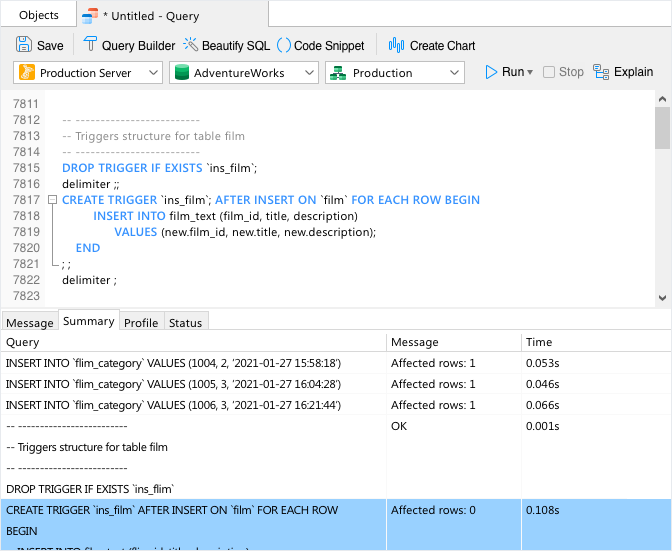
Query Summary
Get a detailed summary of each SQL statement. It is an easy to read, one page summary for the health and performance of your queries with a shortcut to jump over to the potential errors.

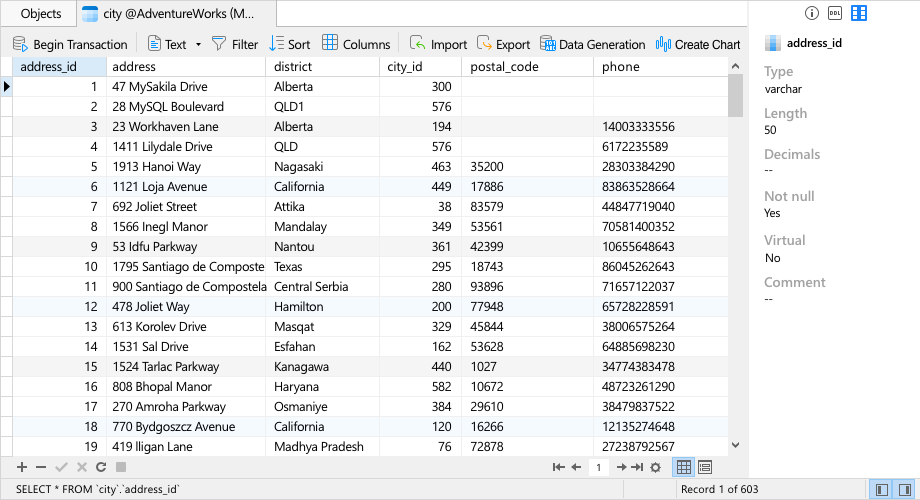
Field Information
Give you a quick view of column characteristics. Help you to get information between columns in Table Viewer with ease.

Navicat 16 is compatible with these latest database versions.
We are so confident in our software's reliability and compatibility that we continue tracking changes to the databases update. We promise to maintain your database and Navicat performing at the highest possible level, thereby ensuring your database administration and development are always interaction and functional.
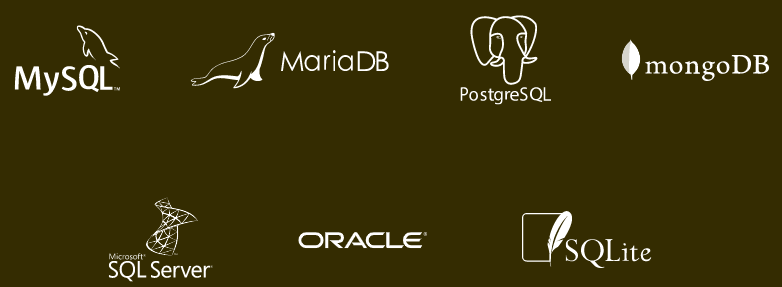
Please click me for detailed specifications
System Requirements

Windows

Microsoft Windows 7, Windows 8, Windows 8.1, Windows 10, Windows 11, Server 2016, Server 2019, Server 2022

macOS

macOS 10.14 Mojave, macOS 10.15 Catalina, macOS 11 Big Sur, macOS 12 Monterey, macOS 13 Ventura, macOS 14 Sonoma

Linux

Debian 9, Debian 10, Debian 11, Ubuntu 18.04, Ubuntu 20.04, Ubuntu 22.04, Fedora 33, Fedora 34, Fedora 35, Linux Mint 19, Linux Mint 20, Linux Mint 21, Deepin 20, KylinOS Desktop 10


Dec 1 2023
Navicat Premium (Windows) version 16.3.3

Improvements:
        Support Huawei Cloud GaussDB Distributed.
        Support enabling or disabling "Detect Data Types" in Import Wizard.
        Support ssh agent using pageant unix mode.
Bug-fixes:

  1. Primary keys were not displayed for PostgreSQL partitioned tables.
  2. Minor bug fixes and improvements.


To upgrade, please visit our Customer Center.

Navicat Premium (Windows) version 16.1.6

Bug-fixes:

  1. Unable to list tables or views in Azure SQL Database connection.
  2. "Cannot open source table" error occurred when using Condition Query in Import Wizard.
  3. Exporting to Excel file was slow.
  4. Minor bug fixes and improvements.


To upgrade, please visit our Customer Center.

Dec 5 2022
Navicat Premium (Windows) version 15.0.29

Bug-fixes:

  1. Failed to transfer large tables.
  2. Real data exported as text when exporting SQLite table to Excel.
  3. Crashed when batch querying tables with FK dependency.
  4. Unknown Internal Error occurred when exporting large amount of data.
  5. SQL Server datetimeoddset column did not display the timezone offset.
  6. Minor bug fixes and improvements.


To upgrade, please visit our Customer Center.

Nov 21 2022
Navicat Premium (Windows) version 16.1.4

Bug-fixes:

  1. 1267 error occurred when clicking the "Users" button.
  2. Unable to connect Azure Database for PostgreSQL with Azure Active Directory Authentication.
  3. Bar chart label display issue.
  4. Unable to export Excel file in some cases.
  5. Hanged when transferring tables.
  6. Unable to connect CockroachDB Serverless.
  7. Minor bug fixes and improvements.


To upgrade, please visit our Customer Center.

Sep 28 2022
Navicat Premium (Windows) version 16.1.3

Bug-fixes:

  1. Unable to connect server using HTTP tunnel in some cases.
  2. Font size issue in Form View.
  3. Unknown Internal Error occurred when adding records in SQL Server Views.
  4. Field size was not retained in SQLite table designer.
  5. Buttons in the lower right corner of the main window were missing in some cases.
  6. Minor bug fixes and improvements.


To upgrade, please visit our Customer Center.

Aug 31 2022
Navicat Premium (Windows) version 16.1.2

Bug-fixes:

  1. Crashed when changing the chart type in some cases.
  2. Hanged when deleting a table in Query Builder.
  3. Text color issue in Dark Mode.
  4. Unable to generate CREATE PROCEDURE SQL in Data Transfer.
  5. Dump Script File feature generated an invalid JSON.
  6. Unable to connect AWS RDS database via SSH.
  7. Backup and Dump SQL File was slow in some cases.
  8. Minor bug fixes and improvements.


To upgrade, please visit our Customer Center.

Aug 16 2022
Navicat Premium (Windows) version 16.1.1

Bug-fixes:

  1. Unable to open the objects in the "Find in Database" window.
  2. The first number of every value in the list was removed in the table filter.
  3. Unknown Internal Error occurred when updating query results in some cases.
  4. Unable to use "Copy As" in View results.
  5. Crashed when opening functions in some cases.
  6. Unknown Internal Error occurred when foreign key selection window popped up.
  7. Unable to open schema in Azure SQL.
  8. Crashed when clicking on the value box in table filter.
  9. Decimal separator issue in SQLite.
  10. Cannot retain the window size and position for existing objects.
  11. Minor bug fixes and improvements.


To upgrade, please visit our Customer Center.

Jul 21 2022
Navicat Premium (Windows) version 16.1.0

Main New Features:

  1. Support OceanBase Community Edition.
  2. Support Trend Line for several chart types.
  3. Support adding On-Prem Server with URI.
  4. Allow skip preview of changes in data sync.
  5. Enhanced responsiveness and performance.
  6. Improved UI/UX.
  7. Minor bug fixes and improvements.


To upgrade, please visit our Customer Center.

Navicat 17 Database Management Tool

Navicat 17 comes with numerous improvements and features to meet your database
development needs. With more than 100 enhancements and a brand-new interface,
Navicat provides new ways to build, manage, and maintain your databases.


Latest Versions
Navicat Premium (Windows) version 16.3.3
Navicat Premium (macOS) version 16.3.4
Navicat Premium (Linux) version 16.3.1


What's New in Navicat 17

Brand-New Design

Compared with the previous version, Navicat 16 introduced numerous UI/UX improvements. We are committed to providing professional UX design to improve usability and accessibility, enabling you to complete complex tasks faster than ever before.

Reliable Data Generation
The new Data Generation tool provides comprehensive functionality for generating large volumes of high-quality test data. You can quickly create realistic datasets with referential integrity based on business rules and constraints.

Enhanced Team Collaboration

Our cloud solution introduces new ways to resolve file conflicts. You can now choose to discard the file on the server and keep your local file, discard your local copy without saving any changes, or rename your local copy to preserve both versions of the file.

Present Your Data More Effectively
Our intelligent charting tool includes more chart types and new features. Connect to any data source of your choice, such as Excel, Access, or ODBC. You can also extend your data using custom fields: change field types, concatenate fields, map values, or sort based on the order of other fields. Explore our other product, Navicat Charts Creator.
Waterfall Chart Tornado Chart Gauge Chart

Additional Improvements to Significantly Boost Your Performance

Connection Profiles
Configure multiple connection profiles for users on the go, allowing connection settings to be switched based on the current location of the device being used.


Value Picker
We redesigned the filtering feature with an intuitive embedded panel that lets you select values from a list or enter possible values to further restrict your data exactly as needed.


Query Summary
Displays a detailed summary of each SQL statement. It provides an easy-to-read, single-page overview for understanding query health and performance, along with shortcuts for jumping directly to potential errors.


Field Information
Allows you to quickly view column properties, making it easier to access information about columns directly in the table viewer.


Navicat 17 Beta Is Compatible with These Latest Database Versions
​
​​​​​​We are confident in the reliability and compatibility of our software and continuously keep pace with database updates. We are committed to maintaining both your databases and Navicat at optimal performance levels, ensuring that your database management and development remain interactive and fully functional.

Click Here for Detailed Specifications
NVIDIA HPC SDK™

NVIDIA HPC SDK™

容器是一種基於Linux名稱空間的輕量級虛擬化技術。與虛擬機不同,容器與主機共享內核和其他服務。結果,容器可以非常快速地啟動,並且性能開銷可以忽略不計,但是它們不能提供虛擬機的完全隔離。 容器將整個應用程序用戶空間環境捆綁到一個映像中。這樣,應用程序環境既可移植又一致,並且與底層主機系統軟件配置無關。容器映像可以廣泛部署,甚至可以與其他人共享,並確信結果將可重現。 容器使開發人員,用戶和系統管理員的工作變得更加輕鬆。開發人員可以在容器中分發軟件,以提供一致的運行時環境並減少支持開銷。來自諸如NGC之類的存儲庫的容器映像可以幫助用戶在任何系統上快速啟動,並避免從源代碼進行構建的複雜性。容器還可以幫助IT人員控制環境模塊的複雜性,並支持不再與主機操作系統兼容的舊式工作負載。 容器運行時很多。最重要的兩個是Docker和Singularity。 在Docker Containers部分中進一步描述的Docker幫助普及了Linux容器,並被廣泛使用。 “奇異性容器”一節中進一步介紹了奇異性,它解決了在HPC環境中使用容器的一些挑戰,並且在大多數HPC中心都可以使用。

Navicat 17 Database Management Tool

Navicat 17 Database Management Tool

Navicat 17 is a database development tool that allows you to connect to MySQL, MariaDB, MongoDB, SQL Server, Oracle, PostgreSQL, and SQLite databases simultaneously from a single application. It is also compatible with cloud databases such as Amazon RDS, Amazon Aurora, Amazon Redshift, Microsoft Azure, Oracle Cloud, Google Cloud, and MongoDB Atlas. With Navicat 17, you can quickly and easily build, manage, and maintain your databases.

PL/SQL Developer 14.0 資料庫程式語言軟體

PL/SQL Developer 14.0 資料庫程式語言軟體

PL / SQL Developer是一個集成開發環境,專門針對開發Oracle數據庫的存儲程序單元。 隨著時間的推移,我們已經看到越來越多的業務邏輯和應用程序邏輯進入了Oracle Server,使得PL / SQL編程已經成為整個開發過程的重要組成部分。 PL / SQL Developer專注於易用性,代碼質量和生產力,在Oracle應用程序開發過程中的關鍵優勢。